
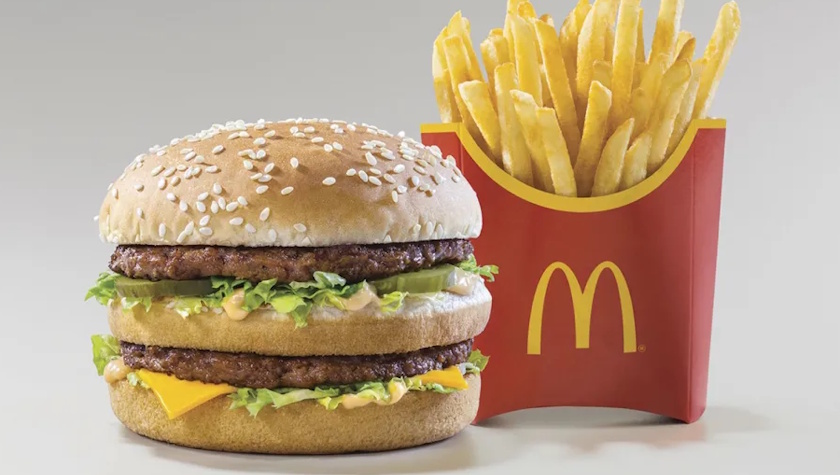
McDonald’s offers NHS staff 20% off orders placed through the McDonald’s app. The discount is available once per week and applies to all items on the app menu. Registration requires an NHS email address rather than a Blue Light Card.

Registering for the McDonald’s NHS discount
Signing up takes about five minutes on your phone. You need your NHS email address (an nhs.net or nhs.uk address) and access to that inbox on the same phone. If you already use the McDonald’s app with a personal email, log out of that account first. The NHS offer only attaches to an account registered with a work email.
Step 1: Download the McDonald’s UK app
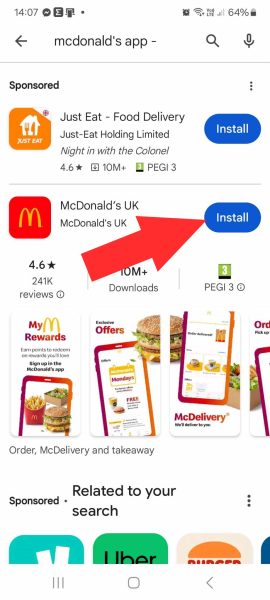
Open the Google Play Store or Apple App Store and search for “McDonald’s app”. Install the one called McDonald’s UK, published by McDonald’s UK. Sponsored apps such as Just Eat often show above it in the results, so check the name before you tap Install.
Step 2: Create an account with your NHS email
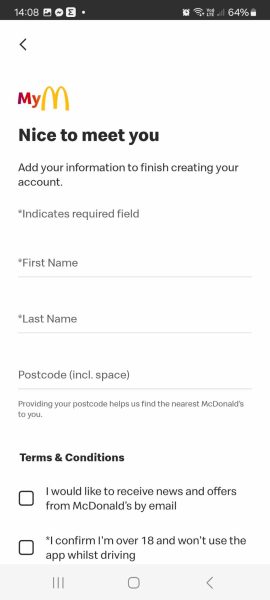
Open the app, choose to sign up and enter your NHS email address. The app then asks for your first name, last name and postcode. Your postcode is used to find your nearest restaurant. Tick the box to confirm you are over 18. The box for news and offers by email is optional and has no effect on the NHS discount.
Step 3: Verify your NHS email address
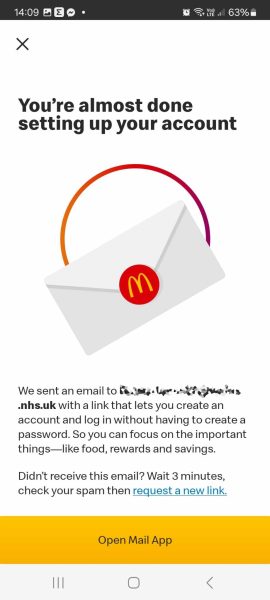
McDonald’s sends an email to your NHS address with a link that finishes setting up the account. There is no password to create; the link logs you in. Open the email on the same phone the app is installed on, or the link will not connect to the app. If you read NHSmail in the Outlook app, open it there and tap the link.
If nothing arrives, wait three minutes and check your junk or spam folder. NHS email filters sometimes hold messages back. You can then tap “request a new link” in the app to send another one.
Step 4: Enrol in MyMcDonald’s Rewards
Once the link brings you back into the app, you will see the Enroll in MyMcDonald’s Rewards screen. Switch the toggle on so it shows yellow, then tap Finish Signup. Your app deals and rewards, including the NHS offer, are delivered through this part of the app.
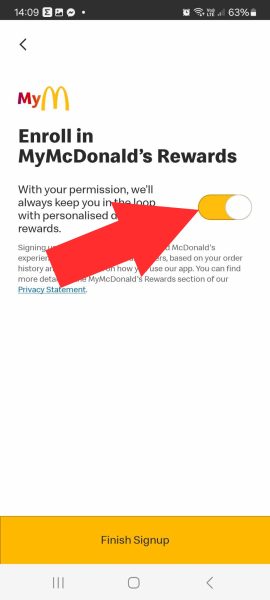
That completes sign-up. The 20% NHS offer can take up to 72 hours to appear in your account, so don’t worry if it isn’t there straight away.
How the McDonald’s app offer works
Once the offer is visible in the app, it is found in the Offers section. The 20% discount applies to all items on that order and can be used once per week. Orders must be placed and collected from a participating McDonald’s restaurant on the same day. The offer cannot be combined with other promotions running at the same time.
What the 20% covers
The discount applies to the full order placed via the app, covering food and drinks. It is available across participating McDonald’s restaurants in the UK and can be used for breakfast, lunch, and evening meals. Active deals are shown in the offer section above.
Other food and restaurant deals for NHS staff
The Nando’s NHS discount gives healthcare staff £4 off their bill via Blue Light Card. The Gourmet Society membership provides 25% off food at a wide range of UK restaurants and is worth considering for regular dining out.

Brilliant deal and much more enjoyable meal plan
Great deal
Thankyou
I have been working for 7 years and will look forward to the offer.
Great idea more companies should do the same